

Instructions for the mobility portal
Instructions for the mobility portal
The mobility portal serves as a central overview of all international partner universities and study destinations of the University of Oldenburg within and outside of Europe.
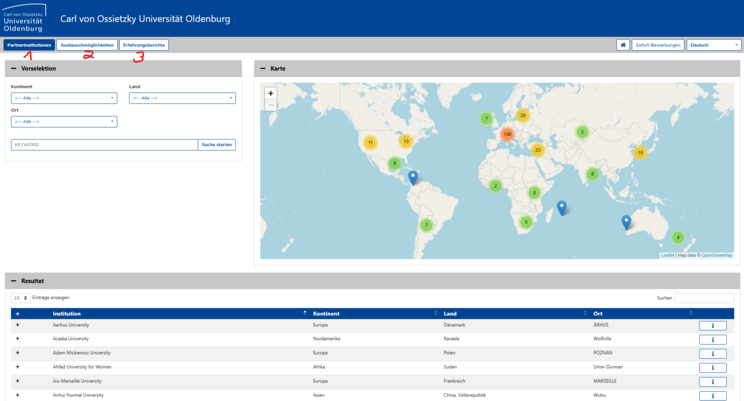
Overview of the partner institutions
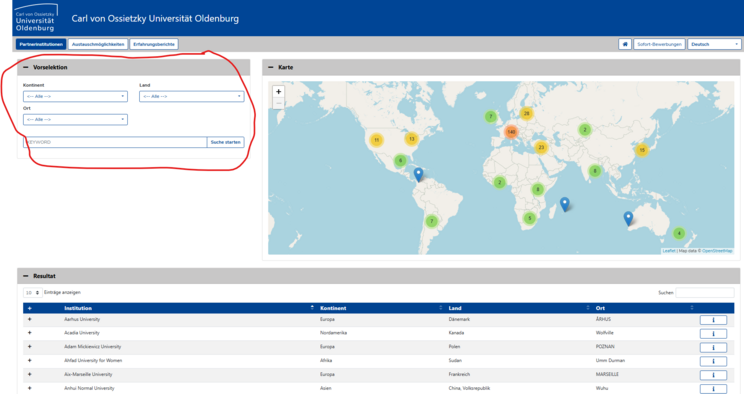

Overview of the exchange options

In the pre-selection area (top left) you have the option of searching for destinations for student and teacher mobility at the University of Oldenburg. This is done using various filter options, e.g. country or location. First select the desired type of person (students or teachers) and then the desired exchange programme. Alternatively, you can enter a keyword or search for universities on the map.

To obtain further information on the student exchange, you must click on the small handshake symbol in the lower area under "Results" and then on the info symbol. This will open a window to the contracts with the partner university stored in the system. If stored, you will then find details about the exchange, the partnership representatives or links to further information.
Overview of the experience reports
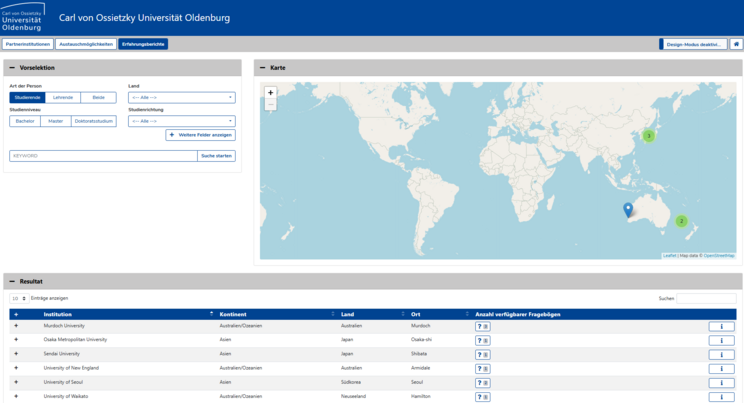
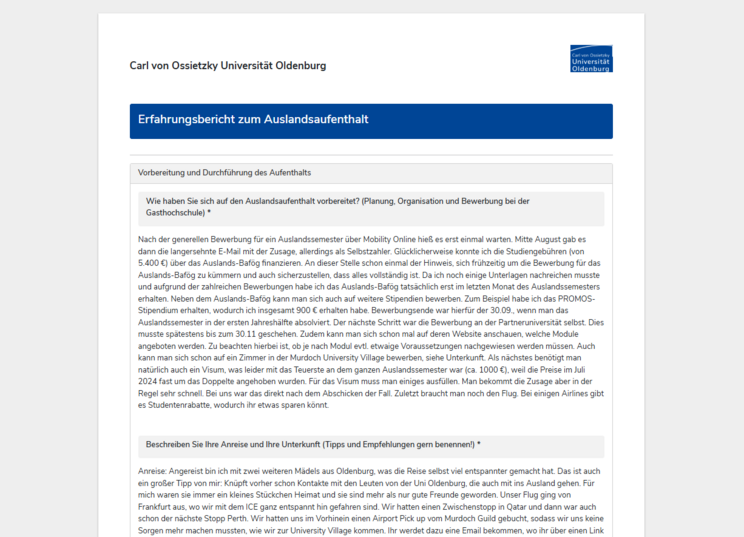
Once you have made your selection of the desired experience report, you can find out more about various aspects of the stay. Where available, you will also be able to view photographs from the stay. At the bottom of the page, interested students also have the opportunity to contact the author of the review to ask specific questions about a future project at the partner university.
Please note that only experience reports that have been approved by the students for online viewing are visible.