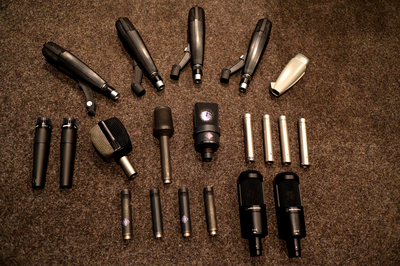
Equipment
Booking workstations
To gain access to the studio workstations, the following steps are required:
- An access card is required. If you already have an access card, for example for the practice rooms, proceed to step 2. Otherwise, you can apply for an access card from .
- To have your access card activated for the sound studios, please send an email to . We require the card ID number, which begins with 9000…
- Once the card has been activated, it must be updated at the update terminal in the Student Service Centre (at the entrance, go through the glass door on the left, then it’s on the right-hand side against the wall).
- Book a slot: Search for ‘Musikstudios’ in stud-IP. Click on the ‘Studio booking’ tab. Select a time slot and book it by clicking the ‘+’ button.
- On the day of your booking, activate your access card at one of the card readers outside A11 (KMS entrance) or inside A9 (staircase leading to the practice rooms).
If you have any questions or if you need special equipment for your booking, please email .
Equipment
Studio workstations
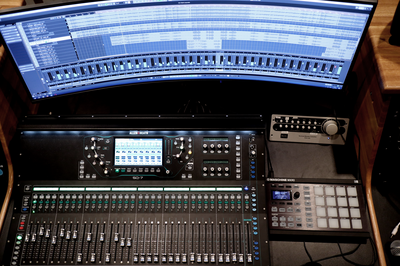
Our six workstations offer the following hardware and software:
- Monitoring monitors
- Ableton Push 3
- 8-channel audio interfaces
- MIDI keyboards
- NI Maschine Micro
- Ableton Live
- Cubase
- Bitwig
- Plug-ins, e.g. from
- Native Instruments Komplete
- Spitfire Audio
- Orchestral Tools
- Plugin Alliance
- Izotope
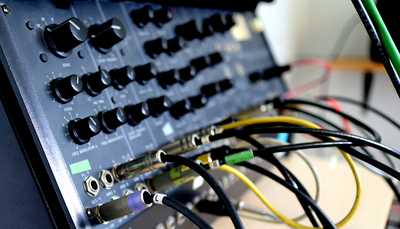
Synthesiser and other electronic instruments
- Ableton Push 3
- Akai MPC One
- Alesis Performance Pad
- Analogue Solutions Fusebox
- Arturia Beatstep Pro
- Behringer RD-9
- Behringer RD-8 MKII
- Doepfer A-100 Analogue Modular System
- Elektron Digitakt
- Elektron Octatrack MK II
- EMS Synthi KS
- Hartmann Neuron
- Korg Electribe mk2
- Korg EX T3
- Korg Kaossilator Pro
- Korg M1
- Korg MS-20
- Korg MS2000B
- Korg MS50
- Korg Sequencer SQ10
- Korg Triton Extreme
- Korg Vocoder
- Moog Mother 32
- Nord Micro Modular
- Novation Station Performance Synthesiser
- Oberheim Matrix-6R
- Oberheim MC 1000
- Red Sound Dark Star XP2
- Roland Juno 60
- Roland Juno 106
- Roland HandSonic10
- Roland SP-404 MKII
- Roland SP-606 Sampling Workstation
- Roland V-Drums
- Yamaha DSR 500
- Yamaha TG77 Tone Generator