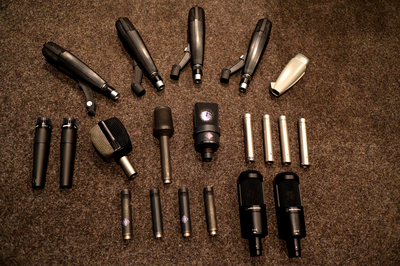
Equipment
Booking workstations
The following steps are necessary to gain access to the studio workstations:
- An access card is required. If you already have an access card, e.g. for the practice rooms, continue with step 2, otherwise you can apply for an access card from .
- To have the access card for the recording studios activated, send an email to . We need the card ID number which starts with 9000....
- After activation, the card must be updated at the update terminal in the Student Service Centre(at the entrance on the left through the glass door, then on the right side on the wall).
- Book an appointment: Search for "music studios" in stud-IP. Click on the "Studio booking" tab. Select time slot and book with the +.
- On the day of booking, activate the access card at one of the readers in front of A11 (KMS entrance) or in A9 (entrance to the practice rooms).
If you have any questions or if you need special equipment on the day, please send an email to .
Equipment
Studio workstations
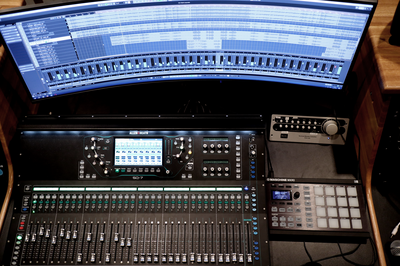
Our six workstations offer the following hardware and software:
- Monitoring monitors
- Ableton Push 3
- 8-channel audio interfaces
- MIDI keyboards
- NI Maschine Micro
- Ableton Live
- Cubase
- Bitwig
- Plug-ins, e.g. from
- Native Instruments Komplete
- Spitfire Audio
- Orchestral Tools
- Plugin Alliance
- Izotope
Synthesiser and other electronic instruments
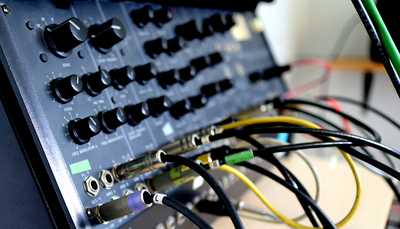
- Ableton Push 3
- Akai MPC One
- Alesis Performance Pad
- Analogue Solutions Fusebox
- Arturia Beatstep Pro
- Behringer RD-9
- Behringer RD-8 MKII
- Doepfer A-100 Analogue Modular System
- Elektron Digitakt
- Elektron Octatrack MK II
- EMS Synthi KS
- Hartmann Neuron
- Korg Electribe mk2
- Korg EX T3
- Korg Kaossilator Pro
- Korg M1
- Korg MS-20
- Korg MS2000B
- Korg MS50
- Korg Sequencer SQ10
- Korg Triton Extreme
- Korg Vocoder
- Moog Mother 32
- Nord Micro Modular
- Novation Station Performance Synthesiser
- Oberheim Matrix-6R
- Oberheim MC 1000
- Red Sound Dark Star XP2
- Roland Juno 60
- Roland Juno 106
- Roland HandSonic10
- Roland SP-404 MKII
- Roland SP-606 Sampling Workstation
- Roland V-Drums
- Yamaha DSR 500
- Yamaha TG77 Tone Generator