

Quick guide Check links
Quick guide Check links
Video of the link verification training

In an online training course on the subject of hyperlinks, it was shown how non-functioning links can be found and edited/corrected. The TYPO3 module "Check links" is used, which independently checks the links in the content elements for validity and, if necessary, points out link errors.
Note: The video is only accessible to members of the university.
Quick guide
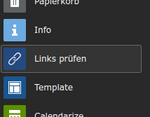

Switch to the Check links module (left column Check links button)
- Select a page in the page tree and select the depth (e.g. Show this level: Infinite). If the depth is lower, not all subpages may be searched and therefore fewer faulty links will be displayed.
- If necessary, further restrict the selection by filtering by entering in the text fields (and jumping in the page tree)
- Sort if necessary (click on a column heading, e.g. link target)
- The links can be edited by opening the content element via the pencil symbol (right-hand column, blue-coloured action button). In the RTE(rich text editor , i.e. text fields with formatting), the faulty links are highlighted with a yellow background and red frame.
- The link editor can be opened in the RTE by double-clicking on the link or via the chain symbol in the toolbar
- After editing, click Save and Close to finish editing as usual and automatically return to the list of faulty links.

Action buttons
From left to right:
- Edit content element
- Check link again
- Permanently exclude link target from check (affects all links with this link target, only to be used for "false positives", i.e. links to pages that are available but are reported as incorrect)
Important
- The best way to fix links is to work with the "Check links" module (as normal editing does not immediately remove the broken link from the list)
- Please contact us in case of problems
- For "false positives" (i.e. incorrectly displayed links that point to available pages), add the target URL to the exclusion list (click on button with link + stop symbol). However, please do not do this for links that are actually incorrect!
- The links to the page selected in the page tree and - depending on the selected level - its subpages are always displayed. As the page tree has to be read in each time the list is created, operation can be a little slow if there are many subpages. In this case, it is best to reduce the page depth or jump to a subpage.