Workplaces at BIS
Access to the campus network and Internet
Members of the university can use the W-LAN with their laptop or smartphone in the entire Central Library and in the Departmental Library.
Alternatively, you can use our PC workstations. If you have any questions, please contact the IT advisory service in the Central Library or the Departmental Library. The following page will also help you access the campus network and internet:
Workplaces at BIS
Individual workstations in the library and study cells
Individual workstations and study cells
In the Central Library Campus Haarentor as well as in the Departmental Library Campus Wechloy you will find a variety of different workstations that allow you to work on a PC or in quiet individual work:
Individual workstations
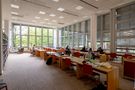
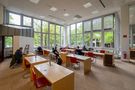
We offer workstations for quiet study in our quiet reading rooms in the window areas on levels 1 to 4 of the Central Library.
PC workstations
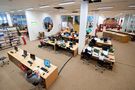
We offer PC workstations at both library locations where you can do research or use electronic media, for example. To log in, you will need your university access data (university user ID + password).
Study cells
You can rent study cells (individual study rooms) in the University Library for a period of one month. Please use our online form to make a reservation (login with university or library ID required):


Group workstations and group rooms
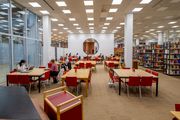
On all levels of the Central Library you will find larger tables that can be used flexibly for learning in groups.
Group rooms
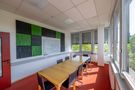
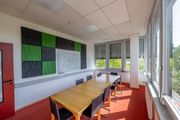
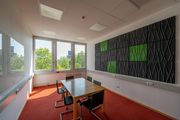
On levels 2, 3 and 4 of the Central Library, we offer a total of seven group rooms for undisturbed group study. As these are usually very busy, we recommend that you make a reservation in advance:
PC workstations for external users
We provide PCs for use by external users at both locations of the University Library. These workstations can be used to access licenced electronic resources. You can register for use with a valid library card and ID card at the Central Information Desk in the Central Library. The workstations are accessible during the service hours of the Central Information Desk.
Parent-child room
Since the 2024/25 winter semester, the Parent-Child Room in the library has provided a space for learning, working and playing. It is designed to help students and researchers balance their daily university life with childcare.
The Parent-Child Room is located in the former group study room 3.4 (B 313) on Level 3 of the Central Library. You can collect the key to the room from the Central Information Desk on Level 1.

Height-adjustable tables for barrier-free working
The University Library endeavours to ensure barrier-free working for everyone.
You will find height-adjustable desks on all levels that can be adapted to individual needs.
Please contact the colleagues at the Central Information Desk if you have any further questions or needs when using the library.
MusicSpace
The MusicSpace in the library and information system of the University of Oldenburg provides technology, hardware, software and instruments to promote informal learning and creativity and to enable productive work with music-related materials. The MusicSpace creates space for a practical approach to music and provides the infrastructure for creating, editing and recording music. It also enables exploratory work with music-related materials for a broad target group, as it potentially offers relevant services for all library users who work with sound recordings in their everyday academic life.
Usage
On intermediate level 3 you will find the MusicSpace for working with music-related materials such as audio files or grades. Computer workstations with DAW, notation software, audio editors and specialised audio hardware are available here. A Kawai stage piano with a connection to a PC workstation makes it possible to play and record music.
All members of the university can use the MusicSpace with their own headphones during opening hours.
Music Carrels can only be used by students of the subjects Music or Musicology at the University of Oldenburg. A current enrolment certificate must be presented as proof.
The offer will be further expanded in co-operation with the Institute of Music. Do you have any questions or suggestions? Then send us an email to
Hardware and software at the PC workstations
- Kawai MP11 - stage piano
- Steinberg UR22MKII audio interfaces
- M-Audio Midi Keyboards Oxygen MK IV (25 and 49 keys)
- Tascam DR-40 (4-track digital recorder)
- Rode NT2-A large diaphragm microphone
- Rode NT-USB microphone
- Cubase Pro 9.5
- Finale 25
- Sibelius
- Audacity



Learning Lab
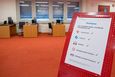
The Learning Lab is located on level 3.5 of the library at the Haarentor site. It offers teachers and students an environment to try out digital teaching and learning scenarios together or separately.
Further information

Café level
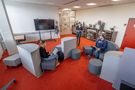
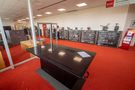
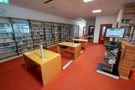
On the café level (ZW 2) of the Central Library, you can work in a cosy atmosphere and consume food and drinks that you have brought with you or purchased.
The CaféBar provides students, employees and visitors to the University Library with coffee specialities, cold drinks and sweet and savoury snacks.