

News

News
Latest IT security information
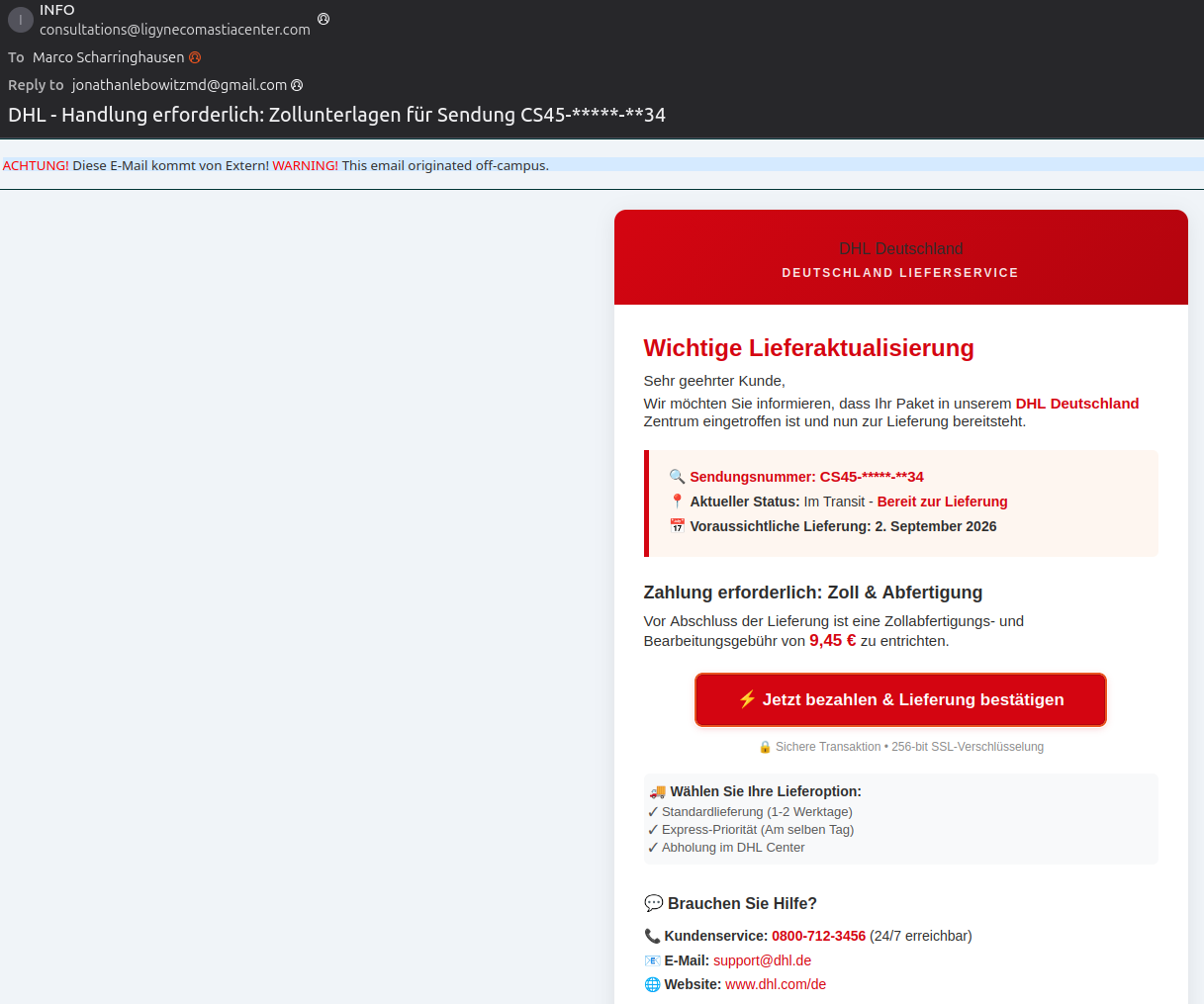
SCAM emails from ‘DHL’
[1 September 2026]
The message below, purportedly from DHL, is a scam. The link under ‘Pay now & request delivery’ leads to an external website that is likely attempting to steal your login details: "track.pstmrk.it/3s/t…"
+++ Please delete these messages immediately. +++
Latest IT security information
SCAM emails sent in the name of senior executives
[26 August 2026]
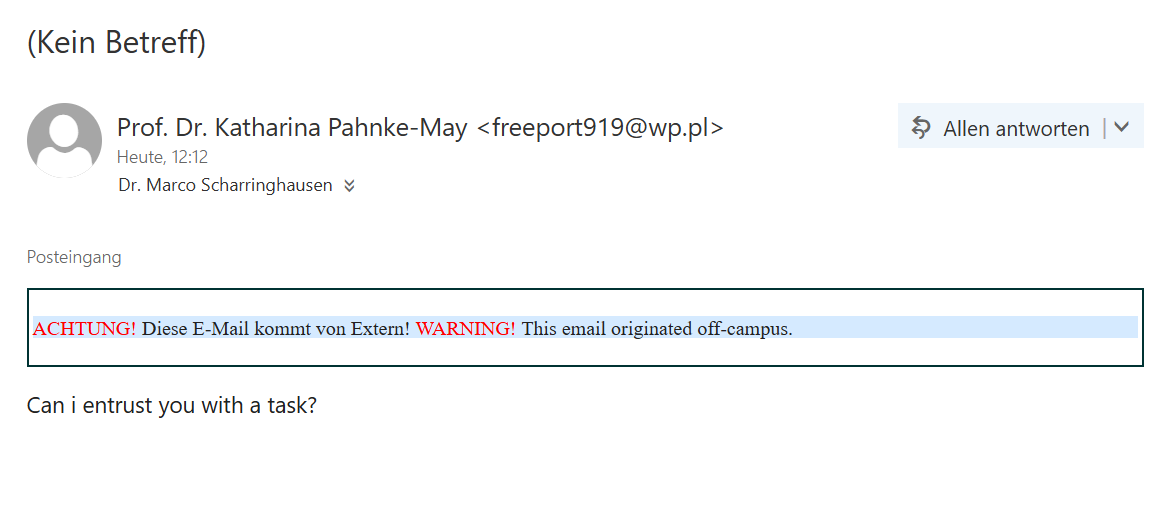
There has recently been a renewed increase in the number of emails of the following type being received
- “Are you there”
- “Are you in the ‘office’?”
- “Can I entrust you with a task”
- or similar.
At first glance, these emails appear to have been sent by managers within ICBM; however, upon checking the sender’s address, this turns out to be a hoax.
+++ Please delete these messages immediately. +++

Latest IT security information
Certificate warnings
[17 August 2026]
From time to time, when visiting websites or connecting to a Wi-Fi network (including Eduroam and Easyroam), warnings regarding certificates of all kinds.
In computer networks, certificates govern fundamental aspects such as:
- encryption of data traffic
- Authentication (the remote party is who they claim to be)
- Data integrity (nothing is altered on the way from A to B)
Please do not ignore such errors; instead, consult ICBM-IT (it@icbm.de)!

Archive 2026
Phishing email: “Are you in the office?” (19 May 2026)
This is a (blank) phishing email designed to tempt users into replying to their supposed (!) line manager and, in doing so, presumably revealing sensitive information.
We are aware of such emails in at least one other School as well.
+++ Delete immediately! +++
Phishing email: “Quarterly Review Meeting Details” (11 May 2026)
This is a phishing email designed to trick users into clicking on a suspicious link (“Open Meeting Details”).
+++ Delete immediately! +++

“Ad-Aware WebCompanion” (April 2026)
Ad-Aware WebCompanion is currently being installed repeatedly via software bundles in several working groups within School V. Although the programme is advertised as “protection against malware”, it is in fact a form of adware that collects sensitive data, compromises systems and thus poses a significant risk to data security.
Furthermore, the detection and removal of this software by our central antivirus solution SentinelOne creates a considerable additional workload for the IT department. This leads to delays in other urgent tasks and places a strain on the entire team.
Notes:
- Only install software from trusted sources, ideally directly from the official developer – not via third-party download portals.
- Do not automatically trust promotional claims made by unknown programmes, such as ‘protection against malware’ by WebCompanion. Such offers are often the very source of the threat.
- When installing software, deselect all additional, unnecessary components – particularly ‘bundles’ or ‘recommendations’ – and install only what you actually need.
- Our antivirus software SentinelOne is powerful, but not perfect. It cannot detect 100 per cent of all threats. Therefore, you as a user also bear a crucial responsibility for the security of your devices.
- Be aware of the risks and act responsibly. Every small decisionyou make when downloading software can have major consequences.
Archive 2025
Phishing (3 February 2025)
Yet another fake email with a plausible message, but one that’s easy to spot thanks to the sender’s address and the link that appears when you hover over it!

Archive 2024
Phishing (31 October 2024)
This email is very obviously a fake. Nevertheless, the BKA thought it was worth creating a website about it.

Fake email (19 August 2024)

Signs of a phishing campaign targeting the University of Oldenburg (17 August 2024)
Dear Sir or Madam,
For the past few days, fake emails with a forged sender address purporting to be from the University of Oldenburg have been circulating. Please do not click on any links in these emails and do not enter any usernames and/or passwords. Clicking on the links will either take you to external websites where an attempt will be made to obtain your login details, or an attempt will be made to install malware on your device.
However, if you have done so, please contact the IT services helpdesk immediately and in confidence; they will then take care of restoring your user account and removing any malware. Please also disconnect from all network connections (LAN and/or Wi-Fi) immediately.
If you unexpectedly receive emails from internal or external sources, please confirm with the sender via a brief phone call that the email is genuine.
Yours faithfully,
Christoph Pierl
Head of Data Centre | Head of Data Centre
University of Oldenburg
IT services | IT services
Building A02, Room 3-313
Uhlhornsweg 84
26129 Oldenburg
Tel.: +49 441 798 – 5219
Phishing (29 July 2024)
